CJ Merchant Instructions
For CJ you need to create a Product Export Subscription.
- Log into your CJ account
- From the top navigation bar, select Account → Subscriptions.
- Click the Create Product Export button
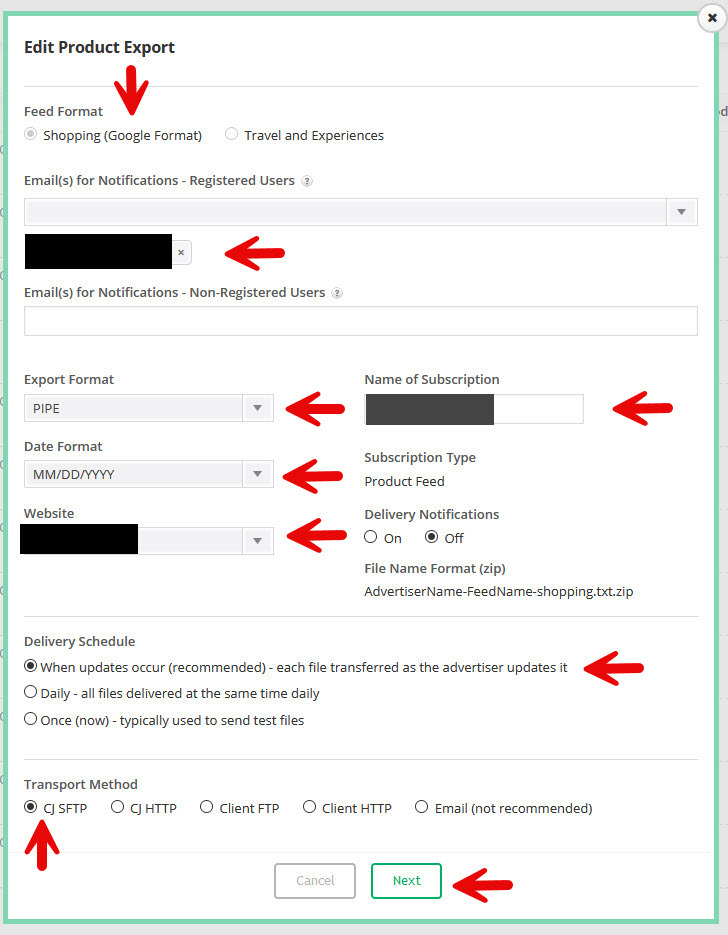
- Fill in the details as per the screenshot below:
- Click Next.
- Choose Select individual feeds and add the feeds you want us to add.

- Click Save.
- You should receive FTP details via the email you registered.
- Once you received your FTP details please send them to us.